
Quick Start
Before running this script, please ensure:
- Node.js 22 or higher is installed
- OpenClaw is installed and initialized (you have run
openclaw onboard) - Network connection is normal, and the AINFT API is accessible
Script Commands
Linux & macOS:
Mac users: search for "Terminal" in Applications, open it, and enter the command below:
curl https://chat.ainft.com/scripts/openclaw-install-ainft-provider.sh | bash
Windows PowerShell:
Windows users: search for "PowerShell" in the Start menu, open it, and enter the command below (CMD is not supported)
iwr https://chat.ainft.com/scripts/openclaw-install-ainft-provider.ps1 | iex
Detailed Steps
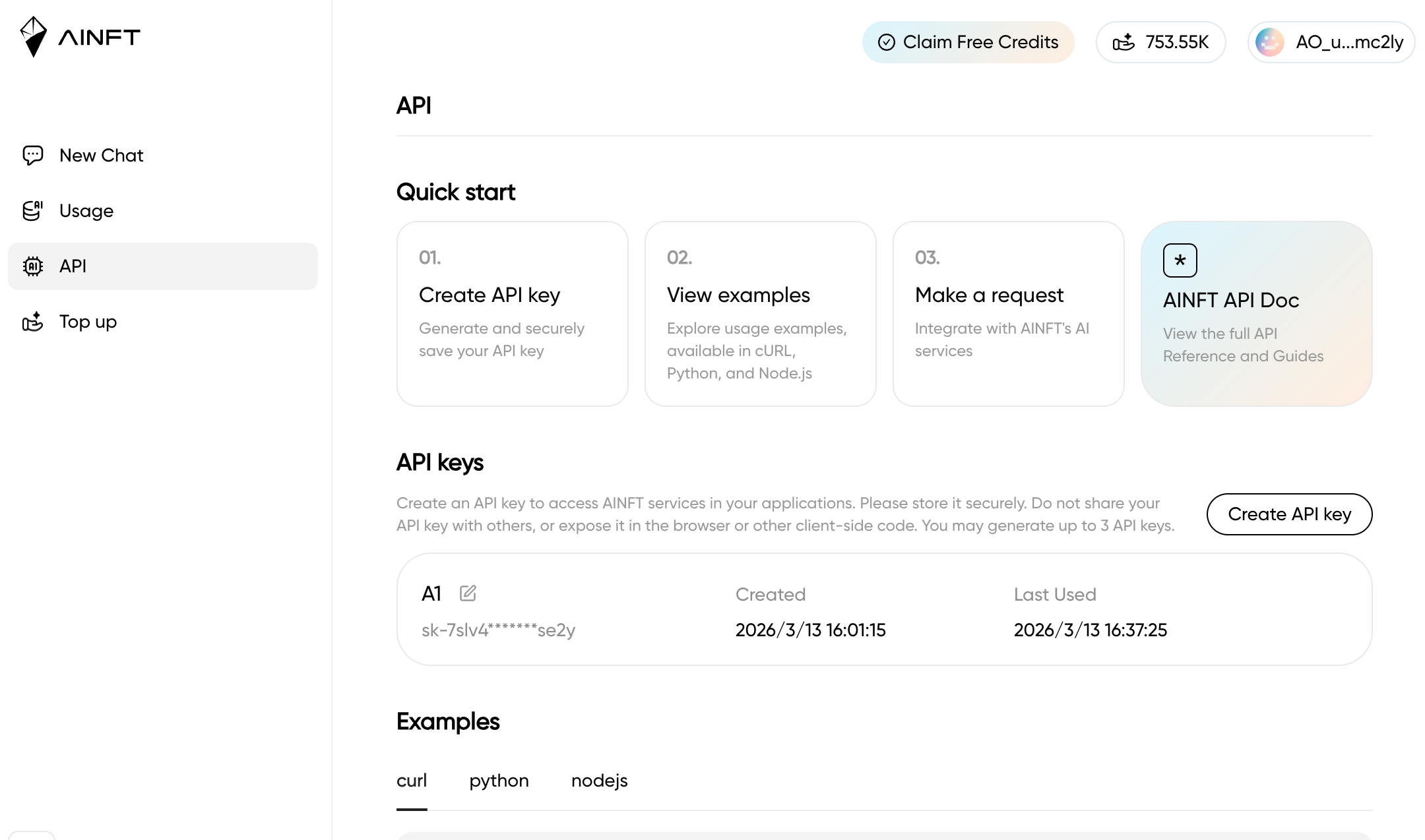
1. Apply for an API Key
- Log in to the AINFT Chat Platform
- Go to the API Key Management Page
- Click to apply for a new API Key
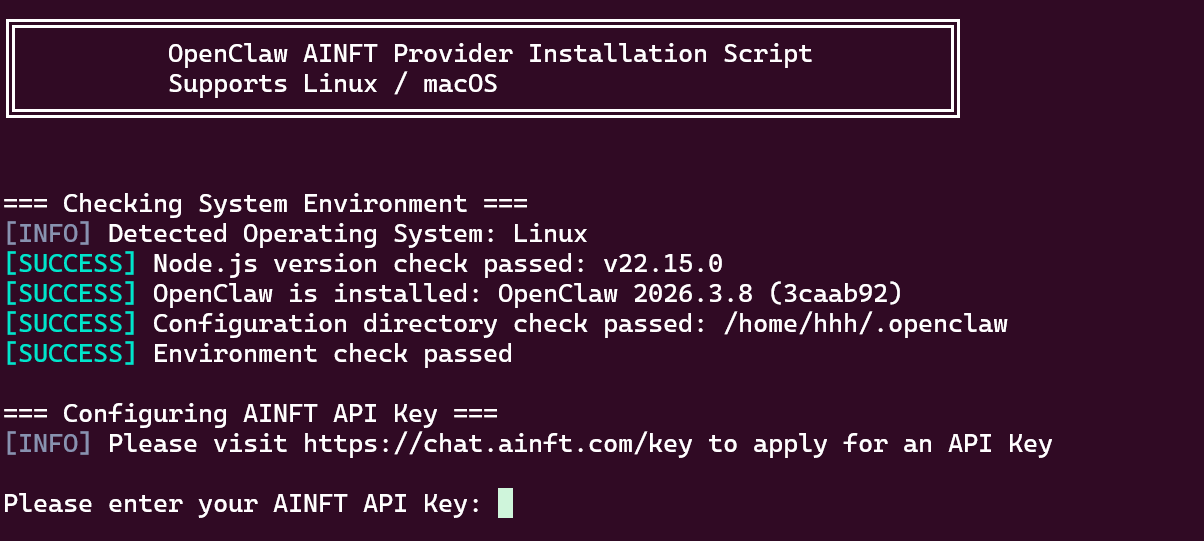
2. Run the Installation Script
Depending on your operating system, execute the corresponding command above. The script will automatically:
- Check the environment (Node.js, OpenClaw, etc.)
- Prompt you to enter your API Key
3. Select a Default Model
After validating the API Key, the script will fetch the list of available models and prompt you to select a default model:
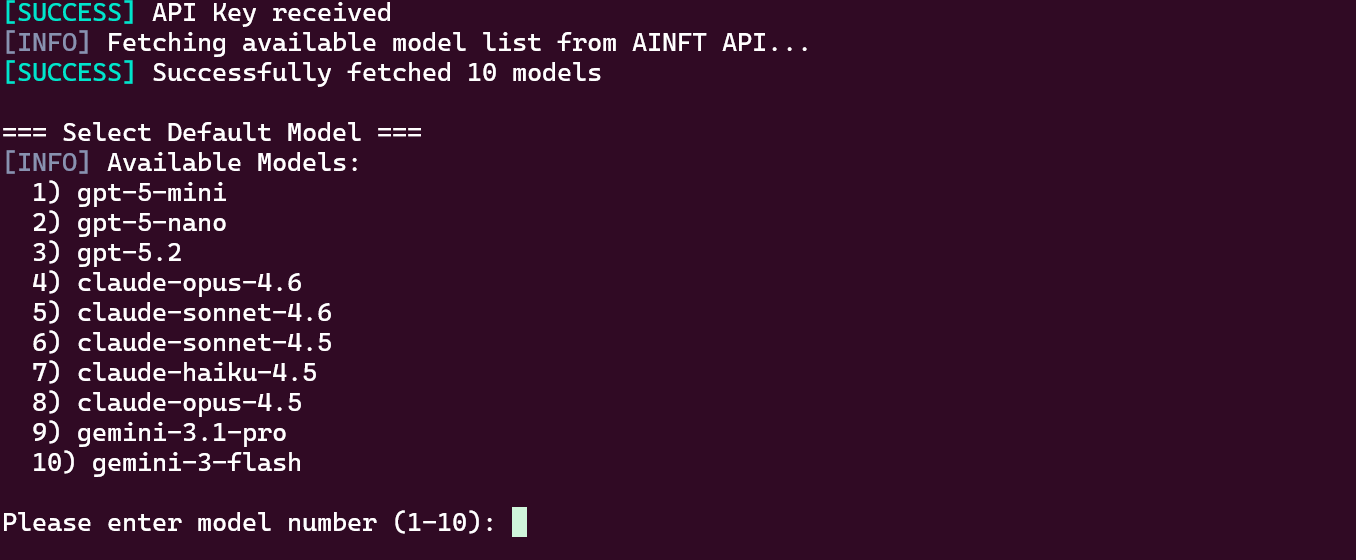
Note:Gemini series models are currently largely unusable in OpenClaw due to client fingerprinting strictness for function calls. Please choose with caution.
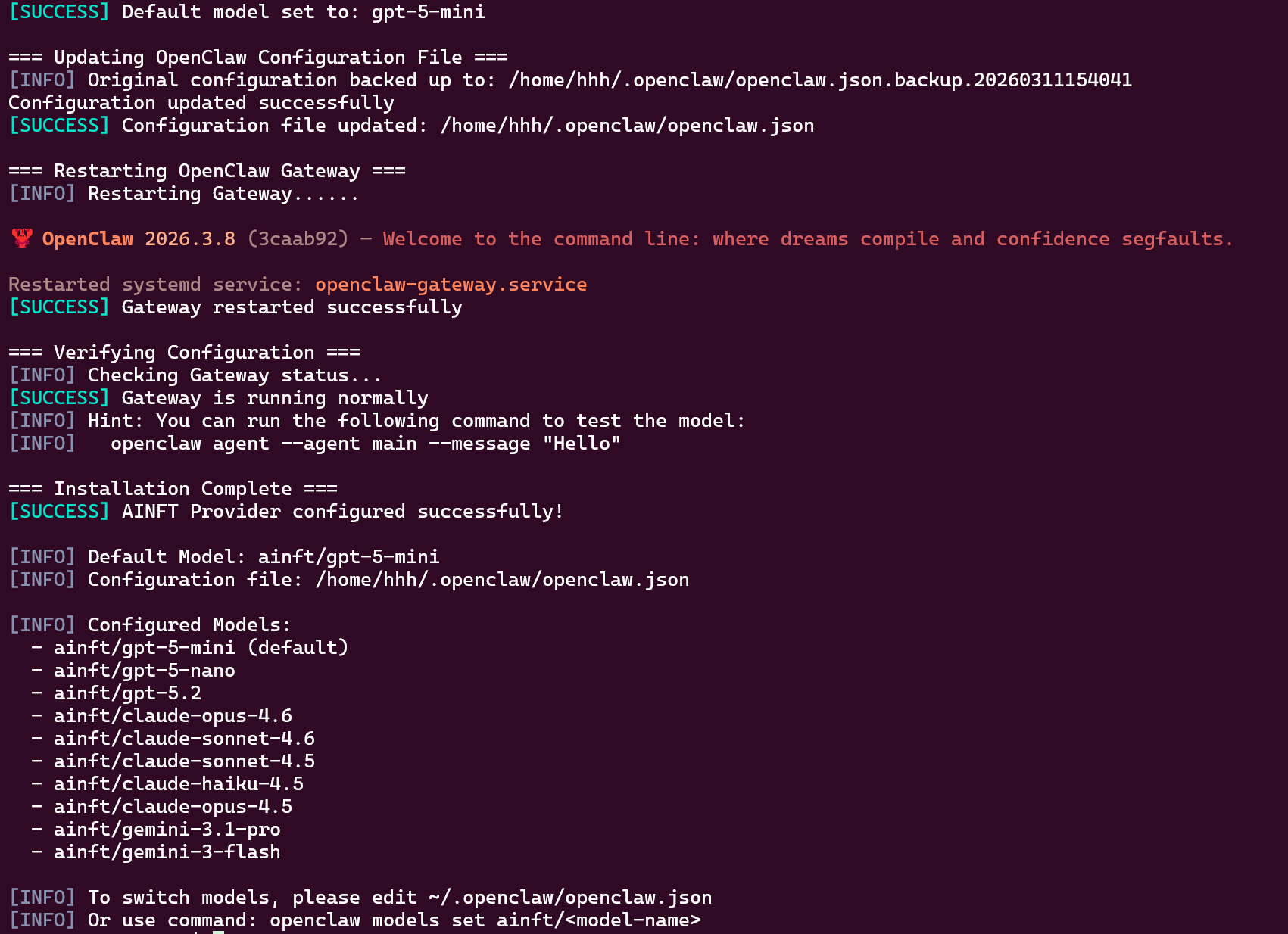
4. Complete Configuration
Once the selection is complete, the script will automatically:
- Back up the original configuration
- Update the OpenClaw configuration file
- Restart the Gateway
5. Switch Models
You can switch the currently used model in two ways:
- Command Line
openclaw models set ainft/<model_name>
Or manually edit the ~/.openclaw/openclaw.json configuration file.
- Web UI - Dashboard
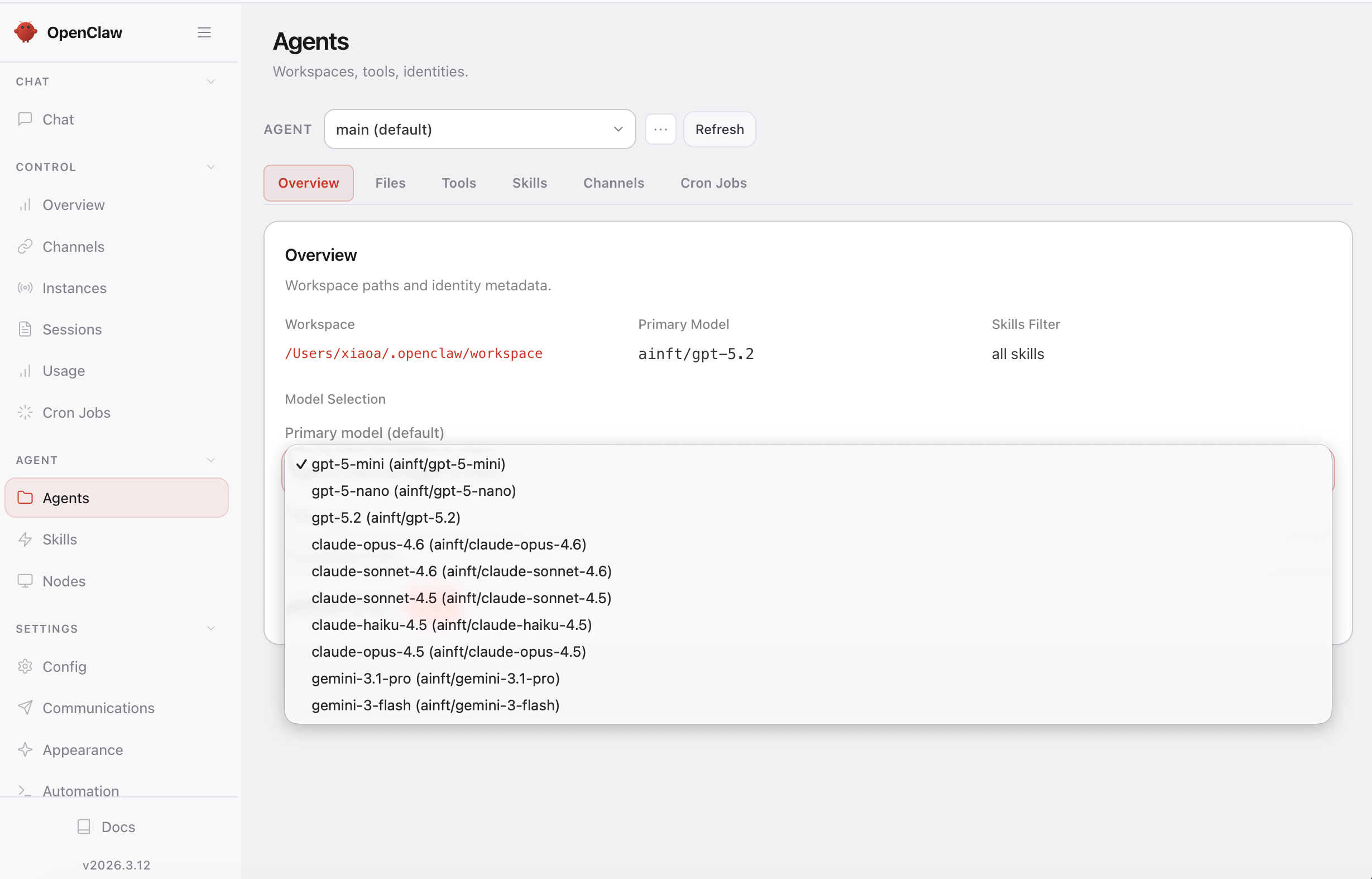
Visit http://127.0.0.1:18789/ (18789 is the default port for OpenClaw) in your browser to access the OpenClaw Dashboard. Click "Agent" in the left navigation menu, and select the desired model in the Primary model dropdown:
Note: Once you change the model via the Dashboard, command-line model switching will no longer work because the Dashboard automatically adds a
listfield to the config file.
Compatibility Testing
| Operating System | Status |
|---|---|
| Ubuntu 24.04 | ✅ Passed |
| Windows 11 25H2 | ✅ Passed |
| macOS 24.6.0 | ✅ Passed |
FAQ
Q: What should I do if the script execution fails?
A: Please ensure that:
- Node.js 22 or higher is installed
- OpenClaw is installed and initialized (you have run
openclaw onboard) - Network connection is normal, and the AINFT API is accessible
Q: How do I switch models?
See point 5 in the Detailed Steps above.